Feature design for a pharmacy benefits member portal
A member-experience strategy and onboarding-flow design for RxBenefits — grounded in research with members and internal stakeholders, prototyped, tested, and handed to development.
Stakeholder facilitation
Prototyping
User testing
Final design & hand-off
18-concept roadmap
Onboarding flow design
Transform how members understand, pay for, and get support for their pharmacy benefits — identifying gaps in the current experience and designing a portal that builds confidence from the very first login.
Current state — what do we know about members?
Member demographic and experience-data review, a current-state session with 13 internal stakeholders, and discovery research with 19 members.
Future state — how can we improve it?
An experience-principles workshop with the Product Leadership Team, ideation with 14 internal stakeholders, and future-experience concepts for key member moments.
Future experience — what does it look like in product?
A comprehensive experience design and strategy, a roadmap of 18 prioritized concepts, and a design sprint for the initial portal onboarding flow.
Research surfaced three member insights that shaped where the portal could create the most value.
The prior-authorization process is confusing and time-consuming
Staying on top of prescriptions and PAs is a burden. Members want proactive communication on status, next steps, and when their medication will arrive.
Paying for prescriptions is frustrating when pricing isn't consistent
Knowing what they'll pay up front — and whether it stays the same month-to-month — calls for consistency and transparency at this step.
Member support can be more efficient and effective
Members expect knowledgeable, reliable support — human and digital — to help them navigate the complexities of healthcare.
A dedicated onboarding flow introduces members to the portal's features and helps them feel confident using it from day one — addressing the prior-authorization, payment, and support moments of truth in a single first-login experience.
A guided tour at first login overviews portal features, and walks members through reviewing personal information and contact preferences to confirm accuracy.
An onboarding email series with links to utilization tutorials, plus access to a guided-tour refresh whenever members need it.
Eases the transition for new members and gives them helpful context on how to make the most of the resources available — and how to get help, now or in the future.
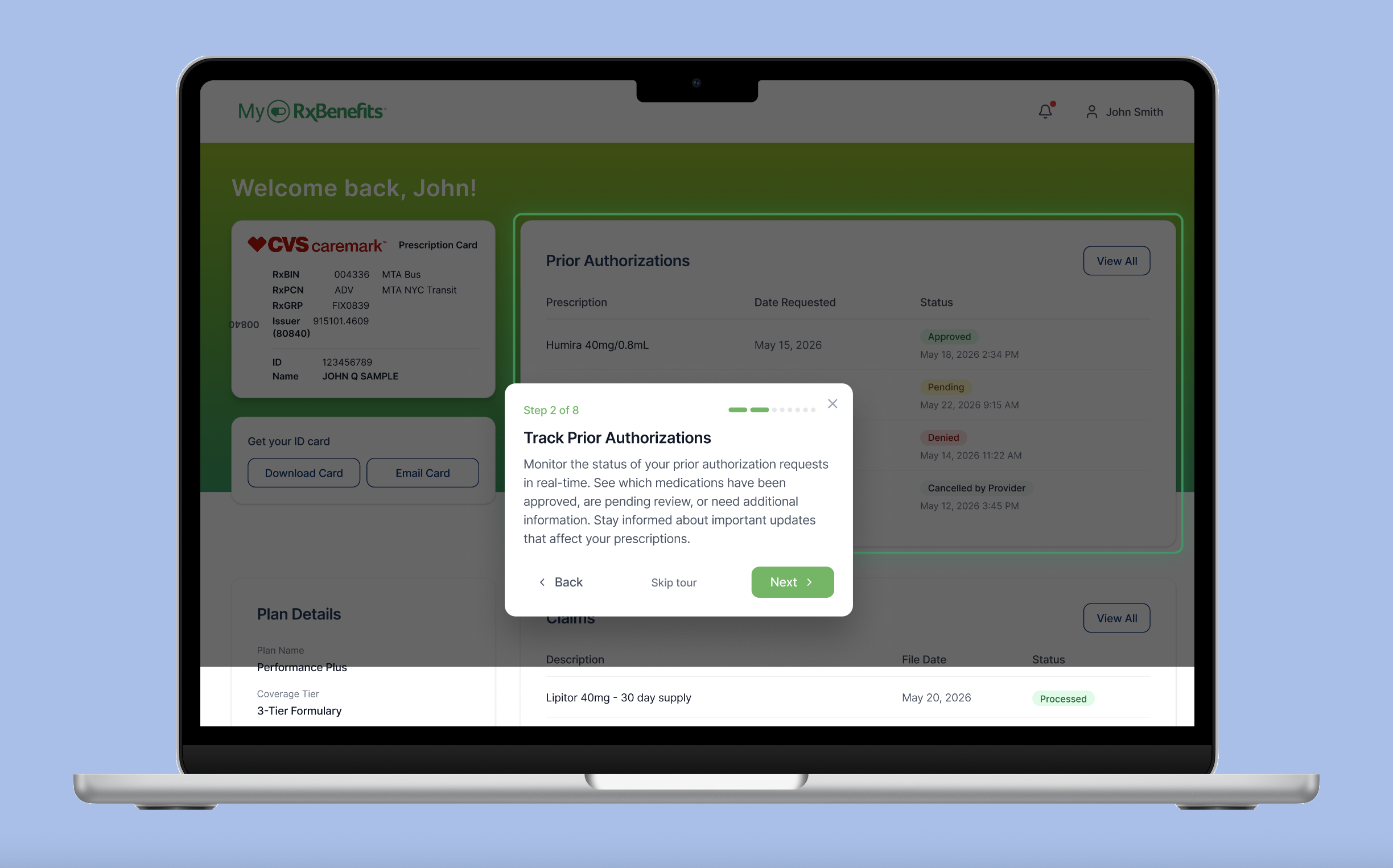
Four key screens from the onboarding flow, each tied to a research-driven moment of truth.
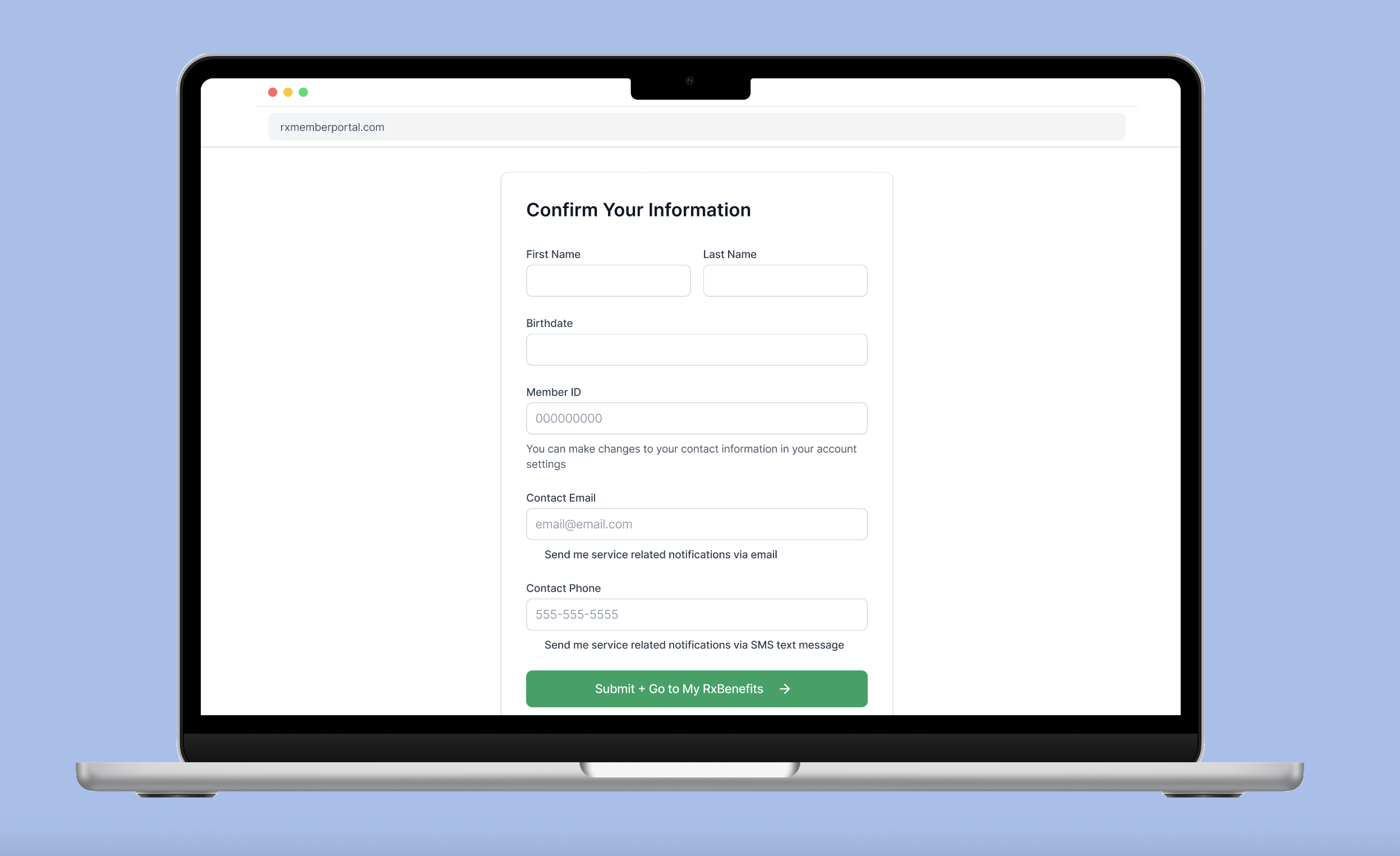
Account confirmation + communications
A link in the welcome email brings members here to confirm their account information and set communication preferences — giving early confidence that the right details are connected, and reinforcing RxBenefits as a partner for their prescription benefits.
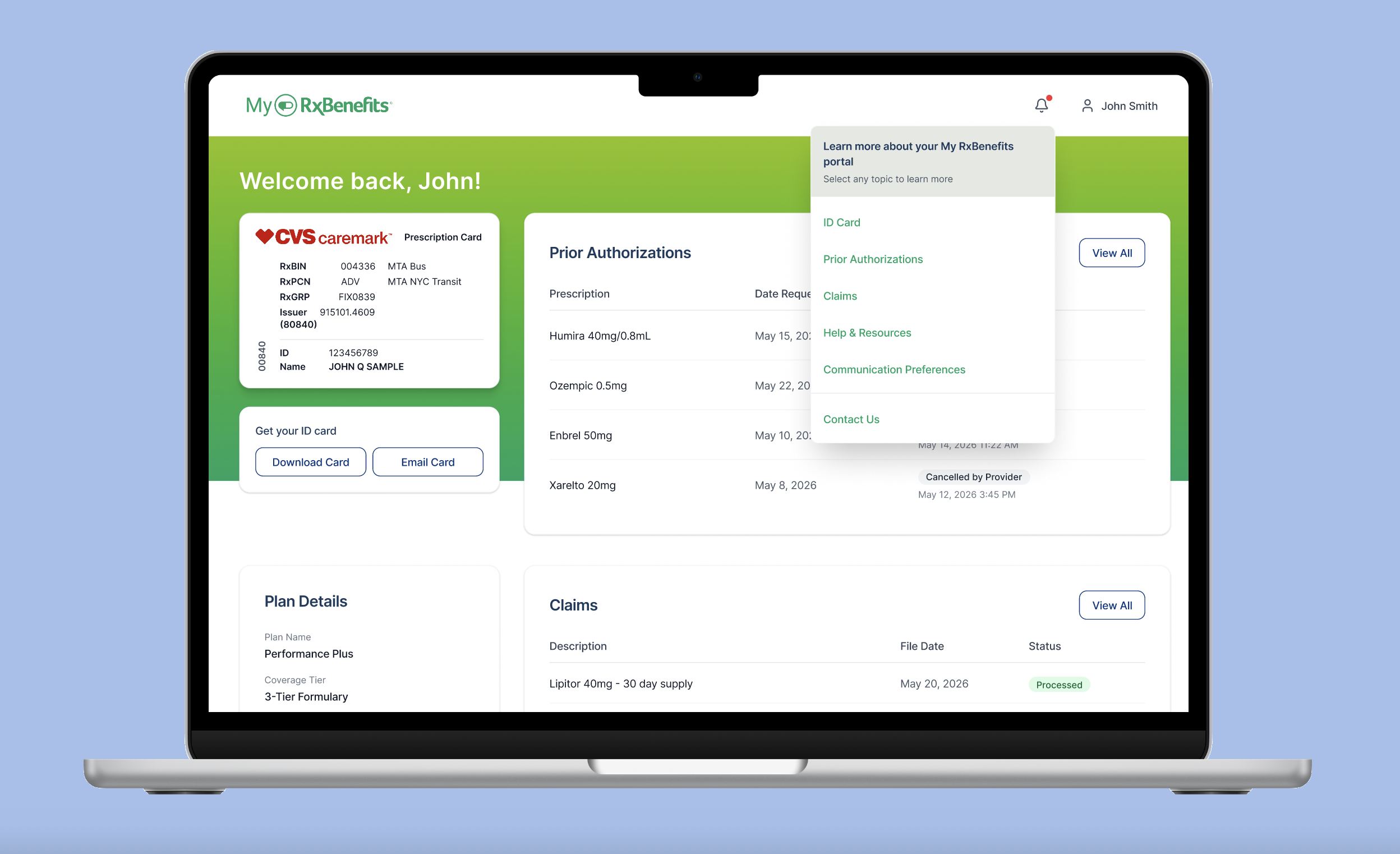
'Learn More' notification
One of the first prompts new members see, this notification expands to offer a relevant topic to learn about. Members explore at their own pace — especially helpful for "The Juggler" persona, who prefers self-service with digital tools.
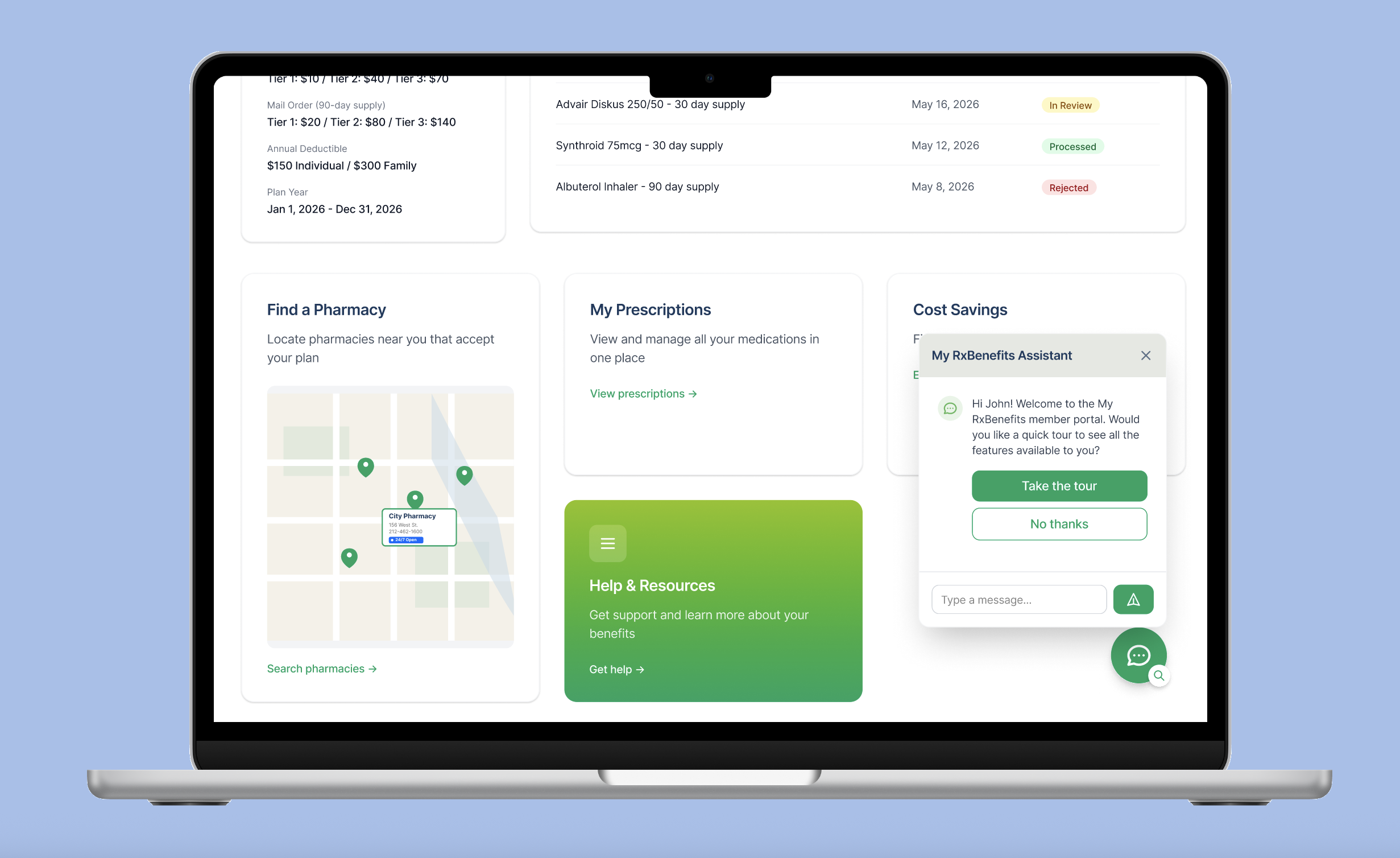
RxB Assistant
A guided path for learning what content and resources live on the portal and how to use them across the care journey. Members who aren't ready for a tour can message via AI-enabled chat to get answers instead.
Guided tour
A modal walks members step-by-step through the portal's main content areas — reviewing the data, resources, and actions available to manage their prescriptions and account. The content stays accessible after the initial tour for anyone who wants to revisit it.
User testing on the initial prototype confirmed the direction and sharpened the details.
Info verification + communication preferences
Move forward; keep gathering member feedback on combining the two tasks at first login.
Portal task + activity options
Move forward; position as a portal notification and keep testing how easily members find what they need.
Member portal "buddy"
Move forward; keep the buddy pop-up tour and add an option to chat for additional questions.
The design was nearing the end of development when my time at RxBenefits ended, ahead of launch. However, thinking about how I would have carried the work forward, I'd want to: